My Take on CarPlay Integration in Your Car
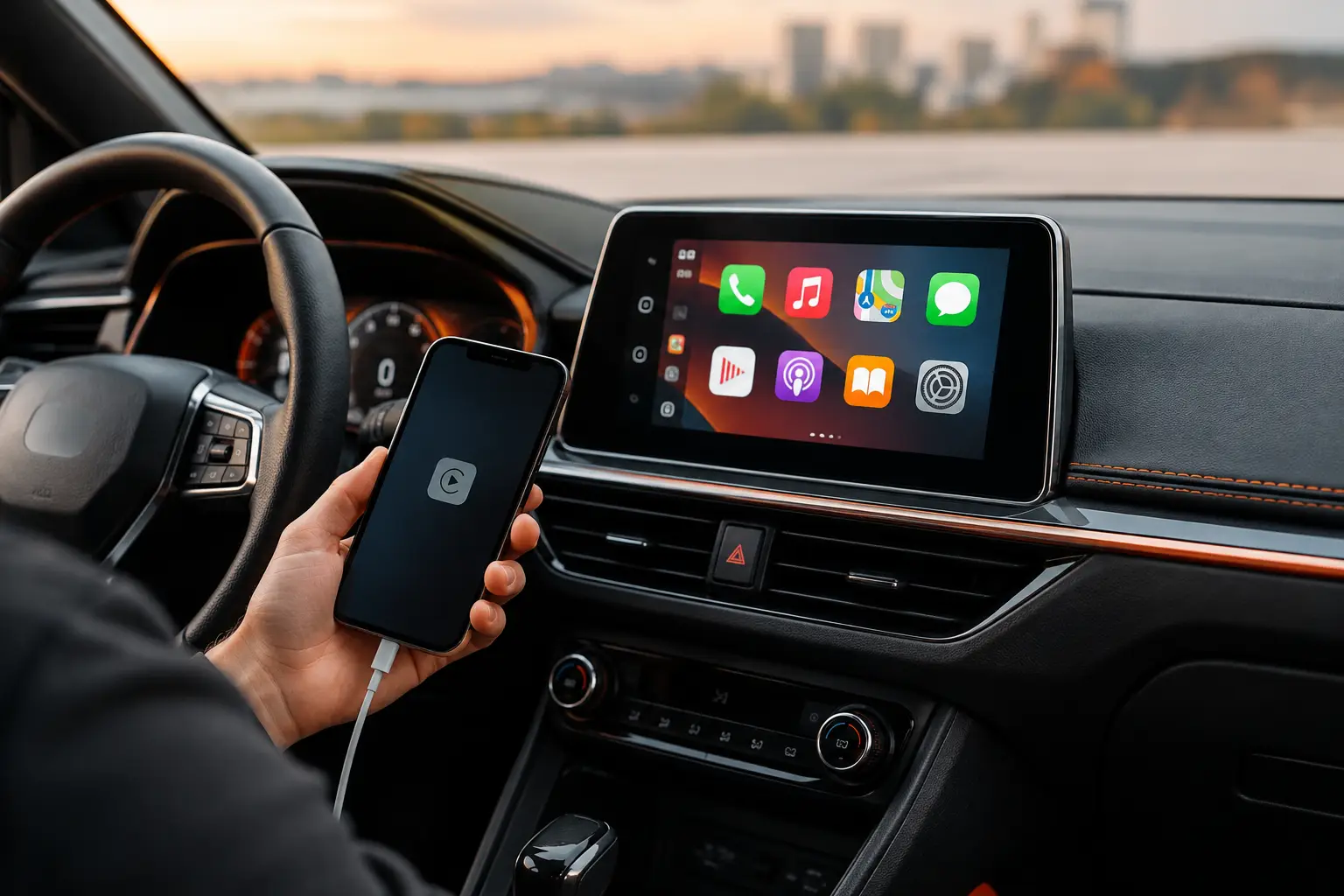
The car's screen lights up, the map appears, a message comes through without touching your phone, and the next turn arrives right on time. That's the most visible part of the experience. But a real take on CarPlay integration needs to go deeper than that initial appeal: it truly helps the driver when it cuts distractions, makes useful information more accessible, and doesn't turn the multimedia center into yet another source of divided attention.
For anyone who uses their vehicle daily, whether commuting to work, making deliveries, or managing a small fleet, CarPlay's value lies less in having a flashy screen and more in keeping your phone in its proper place. The integration can make routes, calls, and audio simpler to control. Still, it doesn't replace good habits: planning before you leave, recording information with the vehicle parked, and keeping your full attention on the road.
Our take on CarPlay integration
CarPlay is worth it when your car's system stops being a confusing accessory and starts working like an organized extension of your iPhone. The interface feels familiar if you already use your phone, with voice commands, compatible apps, and larger elements on screen. This cuts down the time spent hunting through each manufacturer's unique menu logic.
The best part is consistency. If you switch cars, drive different family vehicles, or alternate between a personal car and a work van, you don't have to relearn navigation and media controls from scratch. Connect your iPhone, and you get a similar experience across compatible vehicles.
But integration isn't automatically useful for everyone. If you take short trips, rarely use navigation, and prefer listening to radio, it may have little impact on your routine. For someone who drives many hours, depends on changing routes, receives work contacts, or listens to content while commuting, the difference tends to be much clearer.
Where CarPlay actually solves real problems
The most direct gain is reducing the need to handle your phone. Instead of mounting the device on a stand, dealing with notifications on a small screen, and switching apps during the drive, you can use compatible controls on the center console. Your phone remains the foundation of the experience, but it stays stowed and charging when the connection allows.
Navigation becomes more practical because directions appear where drivers already expect driving information. For a professional driver, this means fewer stops to confirm an address and less risk of missing a turn. For a family on a road trip, it makes juggling route, music, and communication easier without passing the phone back and forth.
Another plus is integration with your car's controls. On many vehicles, steering wheel buttons and voice commands help you adjust audio, take calls, and follow your route. The quality of this experience, though, depends heavily on the multimedia system, your car model, and the software version installed.
CarPlay shouldn't become a distraction dashboard
There's a common contradiction: someone buys a larger screen to use their phone less, then spends the whole drive tapping it. The problem isn't just the display size. It's the number of decisions it invites the driver to make while moving.
Well-used integration prioritizes what matters in that moment: route, audio, and essential communication. Configuring playlists, typing long messages, searching for unnecessary destinations, or checking vehicle expenses belong before you leave or after you park. Voice commands help, but they don't eliminate the need to keep your eyes on the road.
The same care applies to vehicle management apps. Logging a fill-up, recording an expense, reviewing a maintenance alert, or analyzing cost per mile are valuable actions, but they belong when the car is stopped. Your car's screen may make compatible features more accessible, but that doesn't justify using the app in unsafe conditions.
Wired or wireless: the difference shows up in daily use
Cable connection is usually simple and stable. It can also charge your iPhone at the same time, something especially useful if you navigate for hours. The less convenient part is remembering the cable, plugging it in for every trip, and dealing with wires in the console.
Wireless CarPlay offers more convenience: get in the car and have the interface available within seconds for a more natural experience. On the flip side, your phone's battery can drain faster, and some systems take time to reconnect or show instability on certain models. It's not universally better. Someone who drives all day might prefer cable and charging; someone making several short trips might value automatic connection more.
Also check one detail before blaming CarPlay for any problem: not every USB port in a car transfers data. Some only provide charging. Worn-out cables, denied permissions on your iPhone, and outdated software versions explain many connection failures too.
What to check before choosing or using the integration
Compatibility comes first. A vehicle can have a large screen and still not offer CarPlay, while another might support only wired connection or require a specific system version. If you're evaluating a car, test the connection with your own iPhone and note the response speed, audio quality, and ease of using physical controls.
Also think about your actual routine. A delivery driver might prioritize reliable navigation, charging, and quick access to contacts. An owner tracking service records and expenses might value having an organized app ecosystem when parked. A small fleet needs to consider whether different drivers can connect their devices without complications or exposing personal data.
There's also the privacy question. Before selling, lending out, or returning a vehicle, remove your iPhone from the system and erase any saved contacts, call history, and preferences. This simple step prevents the next driver from accessing your personal information.
CarPlay and vehicle management are different things
It's easy to confuse connectivity with vehicle control. CarPlay improves how you access certain iPhone resources on the dashboard, but it doesn't by itself create a maintenance history, store receipts, calculate running costs, or alert you about expiring documents.
For that, a central record makes a difference. With Mine Garage, CarPlay integration is part of a broader way to organize your vehicle routine, alongside history, reminders, fuel or charge logs, expenses, and mileage. The center console helps during driving; complete records help with decisions before and after you hit the road.
This separation matters because it prevents wrong expectations. CarPlay is a driving and convenience interface. Vehicle management is an ongoing process: recording completed service, tracking your next oil change, comparing fuel consumption, understanding what your vehicle costs to run, and sharing information when multiple people use it.
The verdict: useful when it fits your routine
Our view is positive, with one simple condition: CarPlay should cut steps, not create new distractions. It works very well for someone who wants to use navigation, audio, and contacts in a safer, more predictable way, especially for frequent trips. The experience gets even better when the system responds quickly, connection is reliable, and the car's controls are well designed.
Don't buy accessories or switch vehicles just for integration if it doesn't solve a concrete problem in your routine. But if your phone already plays a part in every drive, putting that experience on a proper screen with fewer taps and more focus can be a real improvement. Use the technology to drive better, record what matters after you park, and keep your vehicle in good shape.